Advertisement
Mythic Style Creator
  • Mythic Style Creator

  • Developer: Duelfall Labs
    Updated: 2026-07-21
  • Creative Dress-Up , Fantasy Fashion , Character Customization , Casual Game
PLAY NOW

Reviews

Mythic Style Creator offers a satisfying sandbox for fantasy character design. The skin tone variety and facial adjustments provide a solid foundation, while the magical traits like wings and tails add genuine personality. The clothing selection is generous, with fabric patterns that give outfits a polished look. The lack of goals or timers makes it a calming experience for anyone who enjoys fashion or world-building. It runs smoothly on any device, which is a plus.

About this game

Character Creation Foundation

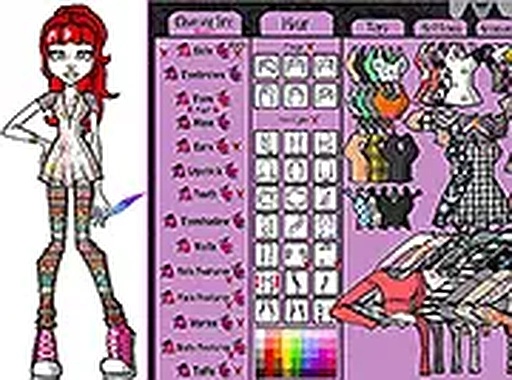
Mythic Style Creator starts with building a base character. You can select skin tones from a range of natural and fantasy hues. Facial features like eye shape, brow style, and mouth type are adjustable to create distinct looks. This foundation ensures every character feels personal from the start.

Magical Enhancements

After setting the basics, players can attach special traits that define a fantasy identity. Options include feathered wings for an ethereal being, a flowing tail for a mystical creature, or shimmering scales for a water-dweller. Fins and other elements add further variety, allowing for creatures like forest sprites or ocean guardians.

Wardrobe & Fabric Detail

The clothing collection includes tops, dresses, skirts, and pants, each rendered with fabric patterns that mimic real materials like velvet, silk, or leather. Layering is possible, such as pairing a jacket over a blouse or adding a belt over a dress. Accessories like shoes, stockings, and necklaces complete the ensemble.

Cross-Platform Accessibility

This game runs directly in a web browser on both desktop computers and mobile devices. No software installation or account creation is required to start playing. A full-screen mode is available for those who want a more focused view of their creations. The interface uses simple drag-and-drop controls.

Creative Freedom Without Rules

There are no points, timers, or objectives to follow. Players are free to experiment with color combinations, pattern mixing, and accessory placement. The only goal is to produce a character that feels personally satisfying. This open-ended approach suits players who enjoy relaxed, imaginative play.

Compatibility

💻 Desktop | 📱 Mobile | 📟 Tablet
– All supported · Best with Chrome or Safari
Read More ▼
Advertisement

Faq

Can I save my character designs in Mythic Style Creator?
The game runs in a browser and may not include a built-in save feature. To keep a design, you can take a screenshot of your character using your device's screen capture function. This allows you to share or revisit your favorite looks later.
Is Mythic Style Creator suitable for young children?
Yes, the game is designed for all ages. It contains no violent or mature content. The controls are simple drag-and-drop actions, and there are no text-heavy instructions. Younger players may need help reading some labels, but the visual interface is easy to navigate.
Do I need to pay for any clothing or accessories in the game?
No, all items in the wardrobe are available for free. There are no in-app purchases, subscriptions, or hidden costs. Every shirt, dress, accessory, and special element can be used without restrictions from the moment you start playing.
Can I play Mythic Style Creator on a tablet or phone?
Yes, the game is compatible with mobile devices. It works in standard web browsers on both iOS and Android platforms. The touch interface supports drag-and-drop actions, making it easy to customize characters on a smaller screen.
What kind of fantasy characters can I create?
You can design a wide range of beings, such as winged fairies, scaled merfolk, forest spirits with tails, or bold adventurers with unique skin tones. The combination of facial features, magical elements, and clothing allows for countless original concepts.
Does the game include any tutorials or guides?
Mythic Style Creator uses a straightforward interface with visual icons and labels. Most players can start customizing immediately without instructions. There is no formal tutorial, but the layout is intuitive enough for new users to explore on their own.
Advertisement