Styling for Every Destination
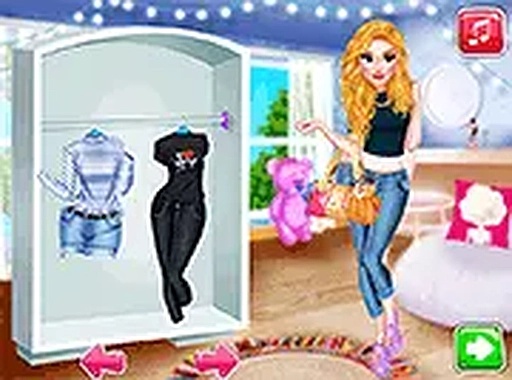
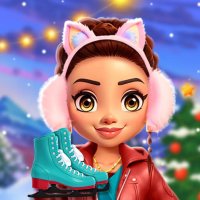
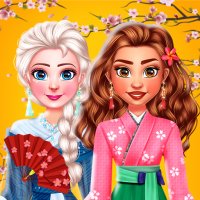
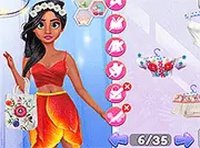
Players begin by selecting a character and a US destination from the available options. Each location suggests a different style direction, from casual city wear to more formal attire. The wardrobe offers a broad selection of tops, bottoms, dresses, shoes, and accessories, allowing for countless combinations. This setup encourages experimentation with color and pattern matching to create outfits that feel appropriate for the chosen setting.
Wardrobe & Accessory Options
The clothing system is built around layering and mixing. Players can pair a patterned top with solid bottoms or add a jacket for a layered look. Accessories like necklaces, earrings, and bracelets provide finishing touches that can elevate a simple outfit. The interface is designed for quick browsing, with categories that help players find specific items without scrolling through everything. This structure supports both quick styling sessions and more detailed outfit planning.
Makeup & Finishing Touches
After selecting clothing, players can apply makeup to complete the character's appearance. Options include lipstick, eyeshadow, and blush in various colors. The makeup tools are straightforward, letting players adjust the intensity or shade to complement the chosen outfit. This step adds a layer of personalization that goes beyond clothing, allowing for more nuanced character expressions. The process remains simple enough for younger players while offering enough variety for those who enjoy detailed customization.
Photo Studio & Filter Effects
A key feature is the in-game camera, which captures the styled character in a static pose. Players can then apply artistic filters that change the image's mood, such as vintage, bright, or soft tones. The filter system is not overly complex but provides enough options to make each photo feel unique. This tool encourages players to think about composition and color harmony, turning the styling process into a mini photography session.
Sharing on the Social Feed
Completed photos can be posted to an in-game social feed where other players can view and react to them. This feed serves as a gallery of community creations, offering inspiration and a sense of shared creativity. The feed is moderated to ensure a safe environment, with no direct messaging or external links. Players can browse through others' outfits and filters, which may spark new ideas for their own styling projects.
Accessible Across Devices
The game runs directly in a web browser on both mobile phones and desktop computers. No downloads, installations, or purchases are required, making it easy to start playing immediately. The controls rely on simple clicks or taps, and there are no timers or scoring systems that create pressure. This design makes the game suitable for short play sessions or longer creative exploration, depending on the player's preference.
Compatibility
▸ Desktop: Chrome / Edge / Firefox / Safari
▸ Mobile: iOS Safari / Android Chrome
▸ Tablet: iPadOS Safari / Android Tablet Browser
Keep your browser updated for the best experience